To leverage the power of the system, it is important to delve into many of the configuration options, specifically the product configuration. Product configuration allows you to upload your supplier's products into the system to price up a product and is accessible from the "Supplier" icon on the main menu. To configure your own products, select the supplier and then click on "Products" from the options in bar on the left-side of the screen.
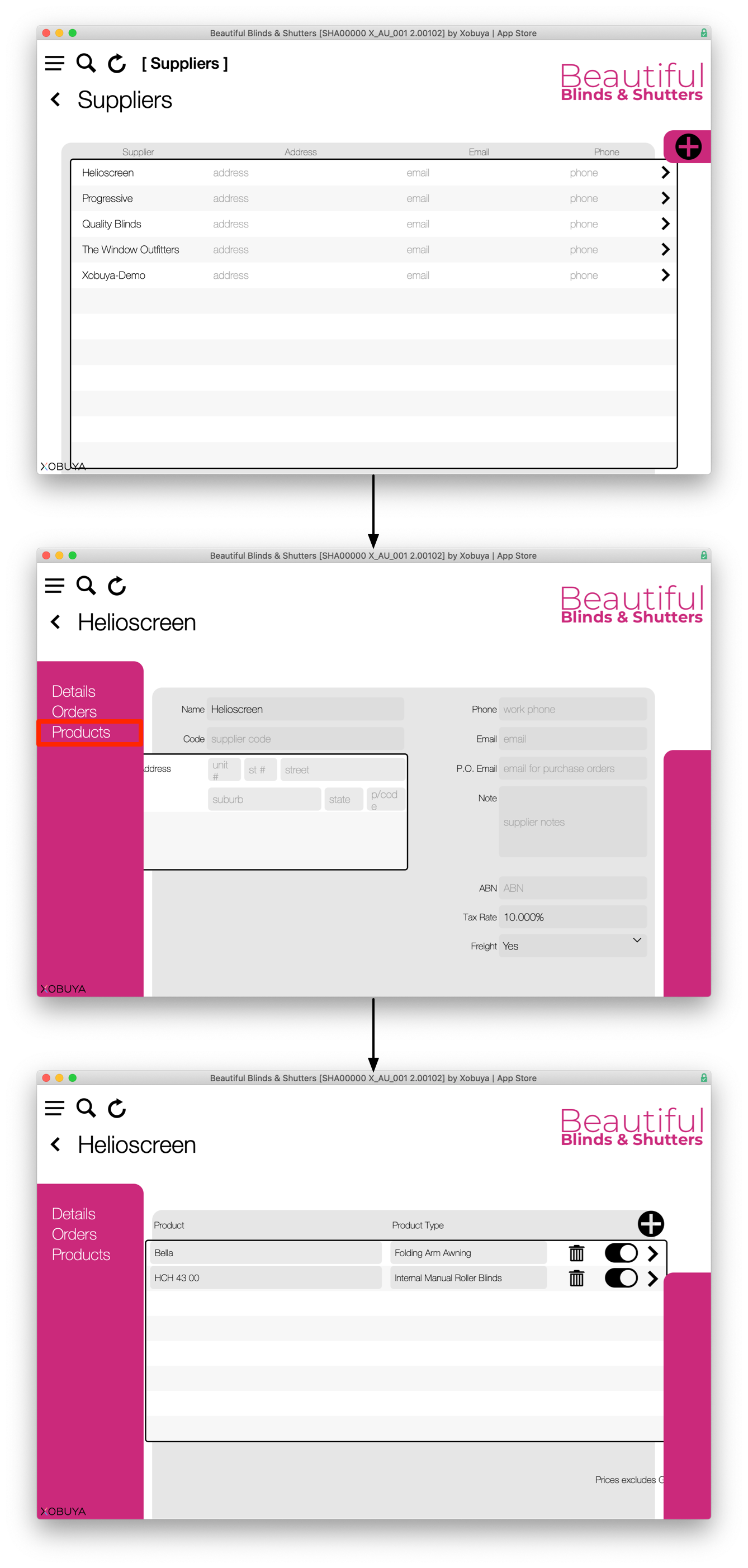
Then select the product to configure…

The settings for a product are:
- Product Name Internal – the name used internally for Xobuya users.
- Product Name External – the name shown to Clients and Suppliers.
- Product Category – the category which this product belongs. Categories can be set up in the Settings under Categories (see Settings – Categories). Administration privileges are required to access the Settings.
- Product Manager – the person managing the product.
- Product Type
- Linkable – if the product has additional options which may be linked and billed together on a quote
- Dual – e.g. Single or Dual blind sets
- Operation Type – Chain, Motor, Cord or Manual
- Measurement Type – mm/in (Metric/Imperial)
- Price Categories – whether the price categories which apply to different fabrics/pricing applies.
- Measurement 1 and 2 – measurement 1 and 2 are the two measurement types which apply to a product, (e.g. width and drop, or width and projection). These values display as placeholders in the blank measurement fields.
- Name
- Minimum Make Size
- Minimum Size
- Maximum Size
- Size Increments
- Consistent Grid (y/n) – how the app finds the correct price in the price grid (see below).
- Price Grid Surcharge – a supplier charged additional fee if a product exceeds a certain size.
- Base Price Ex
- Freight – cost of freight for the product
- Installation
- Charge Type (each, per linear measurement, or per panel).
- RRP Ex GST
- RRP Inc GST
- Price Grid – the predefined price grid matrix for the product (if required). The price grid is set up by a Xobuya representative when initially setting up the product.
We have already set up most of these for you.
The configurable items for that product are added in the 'Configurable Items' panel.
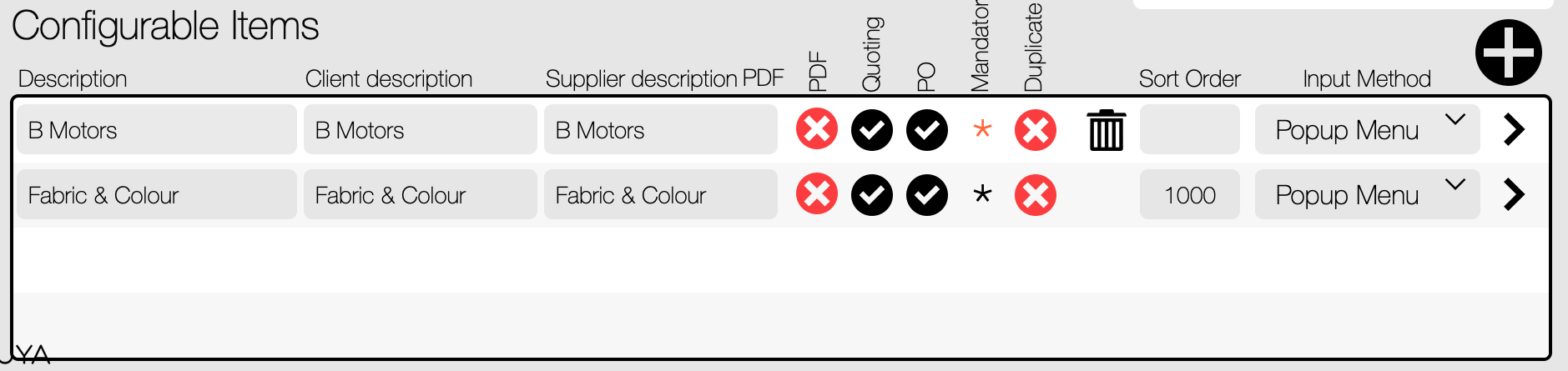
They consist of:
- Description
- Client description (what the client sees on a quote/invoice)
- Supplier description (what the supplier sees on a PO)
- PDF (include/exclude) – whether to include or exclude in quotes to the client
- Quoting – hide or show the person quoting this detail
- PO – whether to include on the Purchase Order
- Mandatory – is this a mandatory field
- Duplicate – is this item able to be duplicated in a quote
- Sort Order
- Input method
The options for each configuration can be accessed by clicking the '>' arrow.
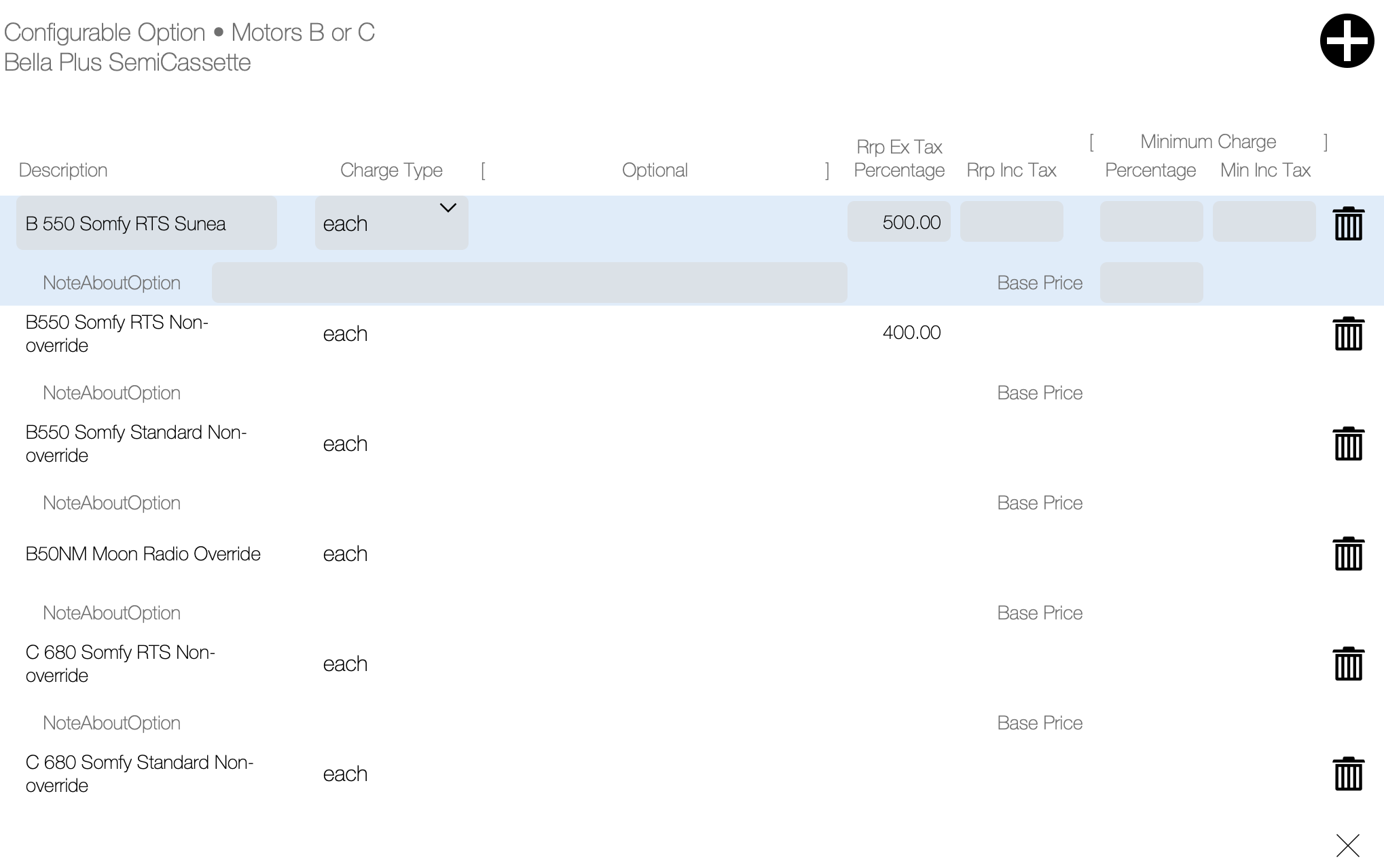
This is where all of the pricing information is stored for the options on a product.