Bookings can be created from the Quotes (measure and installation), Service or Jobs screens.
In the below example, the booking has been made from a Service.
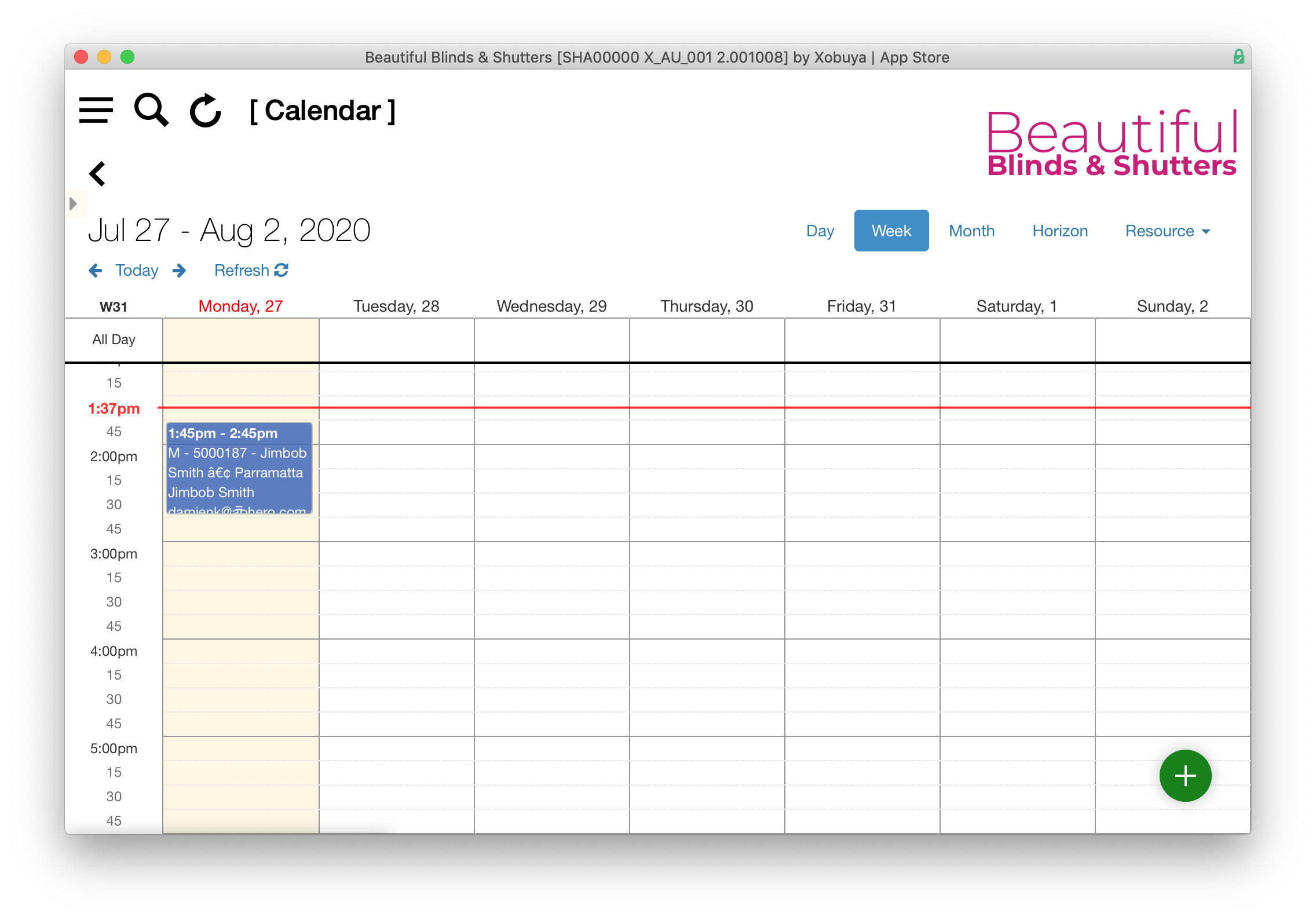
Once the service action proceeds, you are presented with the calendar (desktop version).
The calendar window allows you to drag and drop the appointment to the appropriate time. By clicking on the appointment, you can see the appointment details pop over.
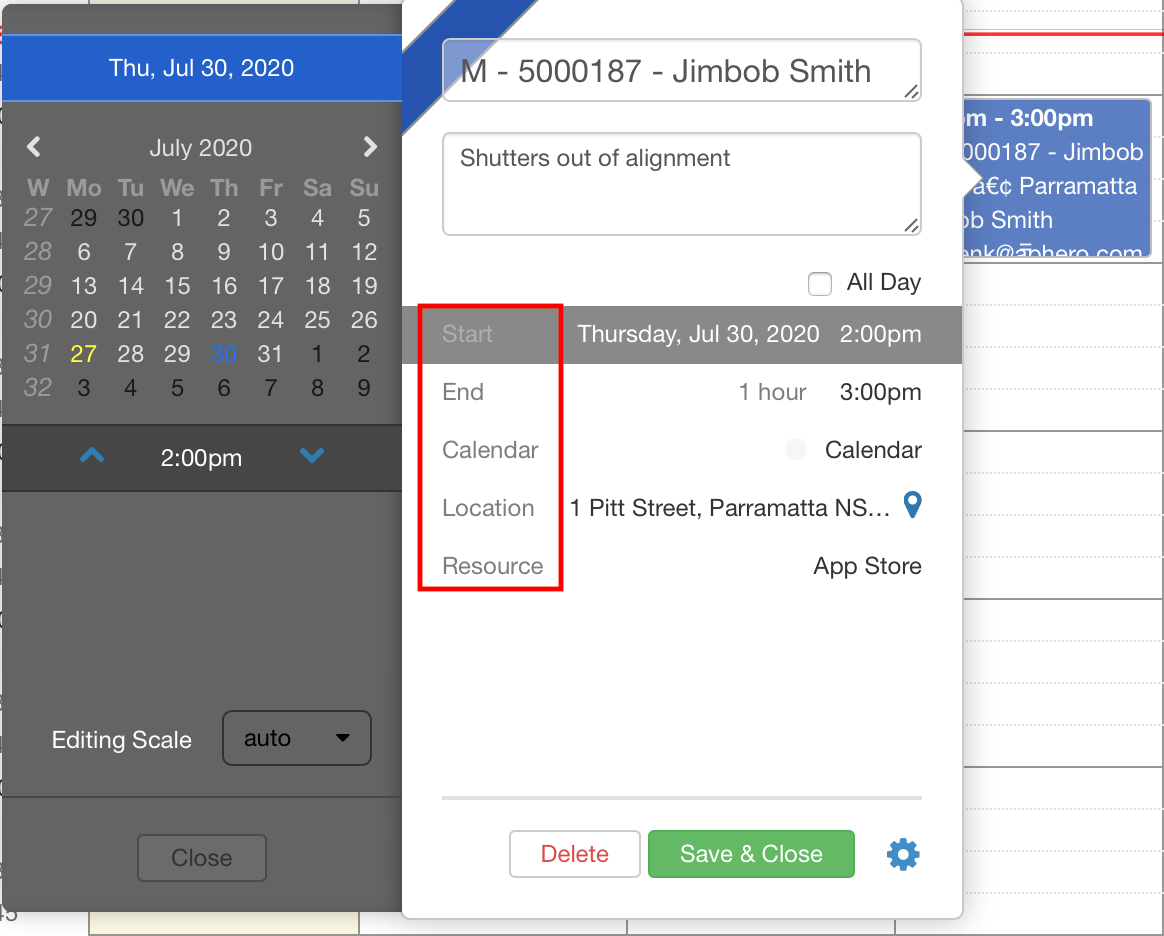
By clicking on any of the headings (shown in the red box) you can set these via a slide out panel to the left of the detail. In addition to these, you can also address any of the appointment settings via the gear icon (lower right).
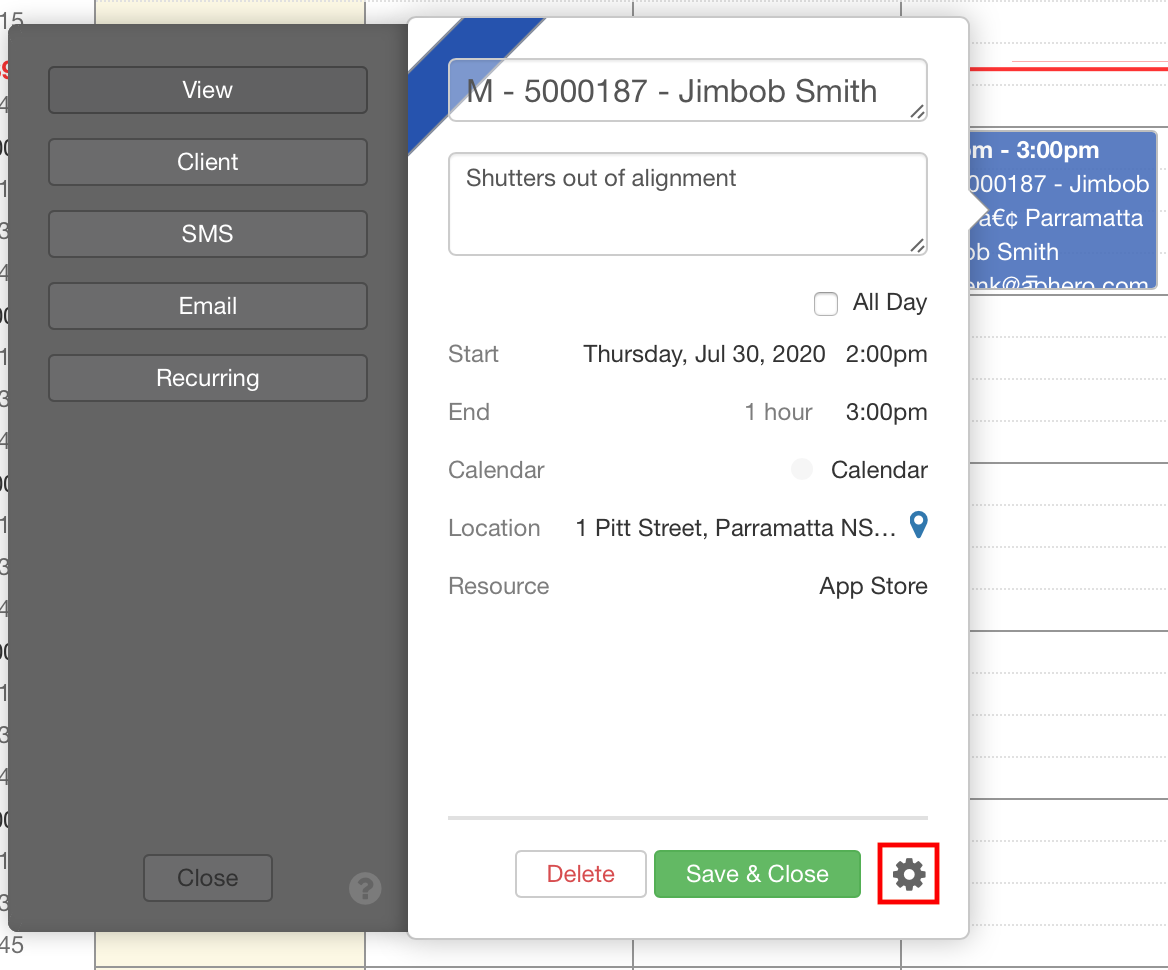
Pushing the "Settings" icon will pop the grey bar out to the left (as above), and can be used to:
- view the event created (service, quote measure, etc);
- view the client's details;
- draft an SMS or email; or
- or set this as a recurring event.
Within the iOS app, these events are accessible via the native iOS calendar, which updates every 15 minutes.